Multi-board hub
Working across several projects? The hub serves all of their boards from one place, on a single port, with a board switcher — no more one server per project.
Install globally
Since the hub spans projects, install KanbAI globally rather than into a single project
(and include the ui extra):
pipx install 'kanbai[ui]'
# or run it without installing anything:
uvx --from 'kanbai[ui]' kanbai hub
Register your boards
Each board must already have a .kanbai/ folder — run kanbai init there
first. Then register it with the hub:
kanbai hub add ~/projects/api          # name defaults to the folder ("api")
kanbai hub add ~/projects/web --name web
kanbai hub list                        # show registered boards
kanbai hub remove api                  # unregister
Serve them
kanbai hub                     # serve all registered boards; opens a landing to pick one
kanbai hub --port 9000 --no-browser
The hub root is a landing page that lists every registered board:

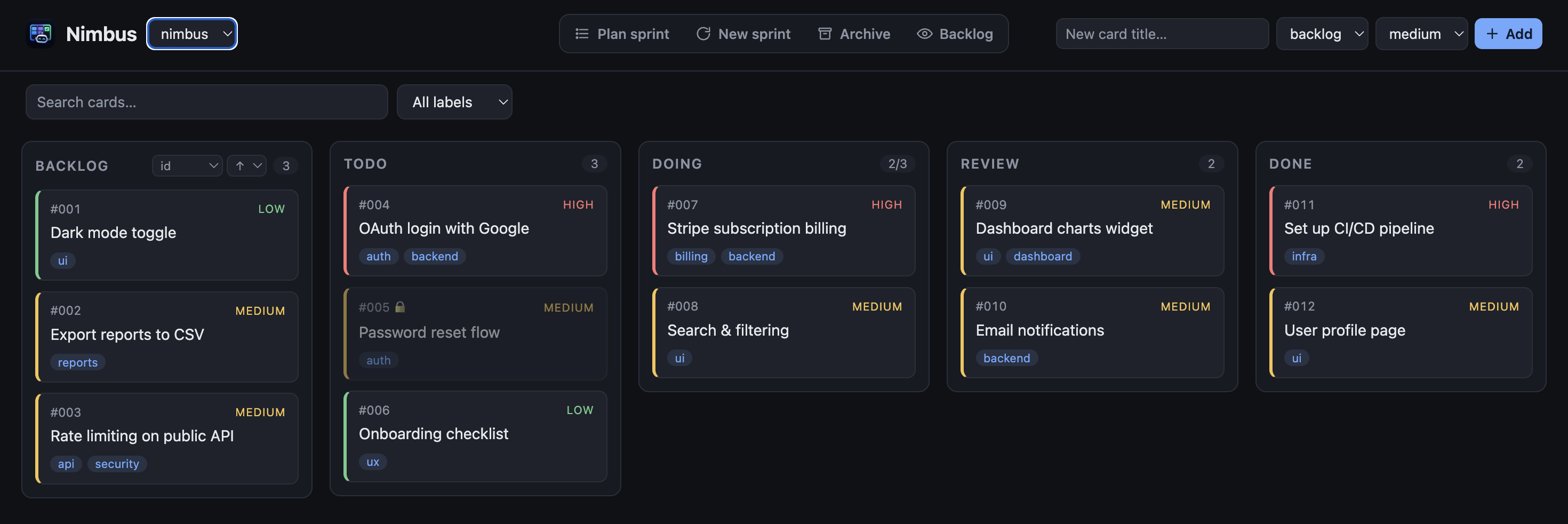
Each board is served at /b/<name>/, and a board switcher in the top bar lets you jump
between boards without leaving the page:
Where the registry lives
The list of registered boards is stored in ~/.kanbai/boards.toml. Override the location by
setting the KANBAI_HOME environment variable (handy for tests or isolated setups):